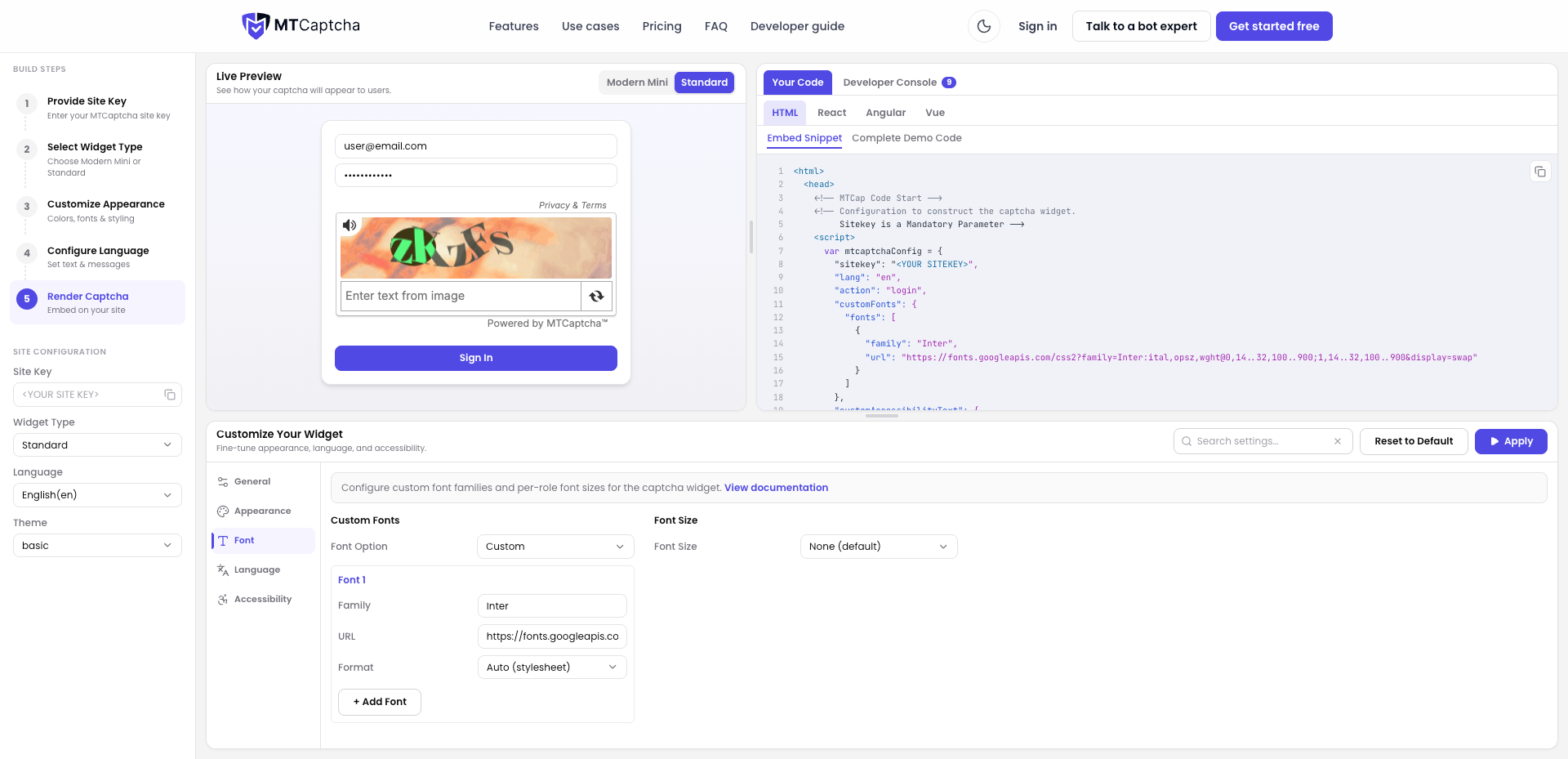
Custom Fonts
MTCaptcha allows you to customize the typography of the captcha widget. You can choose between using the browser's default font family or embedding custom font files (such as WOFF2, WOFF) directly within the configuration.
Configuration
You can configure fonts using the customFonts object inside mtcaptchaConfig:
Default Browser Font
Set defaultFontFamily (e.g., "serif", "sans-serif", "Arial") to apply a standard font stack across widget elements.
Sample Configuration
<script>
var mtcaptchaConfig = {
  "sitekey": "<YOUR_SITE_KEY>",
  "customFonts": {
    "defaultFontFamily": "sans-serif",
  }
};
</script>
Custom Font Declarations
Define an array of custom fonts in fonts, specifying the family, url, and format (e.g., woff2, woff, truetype, opentype).
Sample Configuration
<script>
var mtcaptchaConfig = {
  "sitekey": "<YOUR_SITE_KEY>",
  "customFonts": {
    "fonts": [
      {
        "family": "Inter",
        "url": "https://cdn.jsdelivr.net/fontsource/fonts/inter:vf@5.3.0/latin-wght-normal.woff2",
        "format": "woff2"
      }
    ]
  }
};
</script>
Key Parameters
defaultFontFamily(String): Default browser font family across the widget.family(String): The custom font family name to apply.url(String): The direct URL hosting the custom font file.format(String - Optional): The format of the custom font file (woff2,woff,truetype,opentype).
Looking for More Configurations?
Use the interactive MTCaptcha Code Generator to customize and preview all available UI elements, screen reader labels, state messages, and localized configurations in real time.