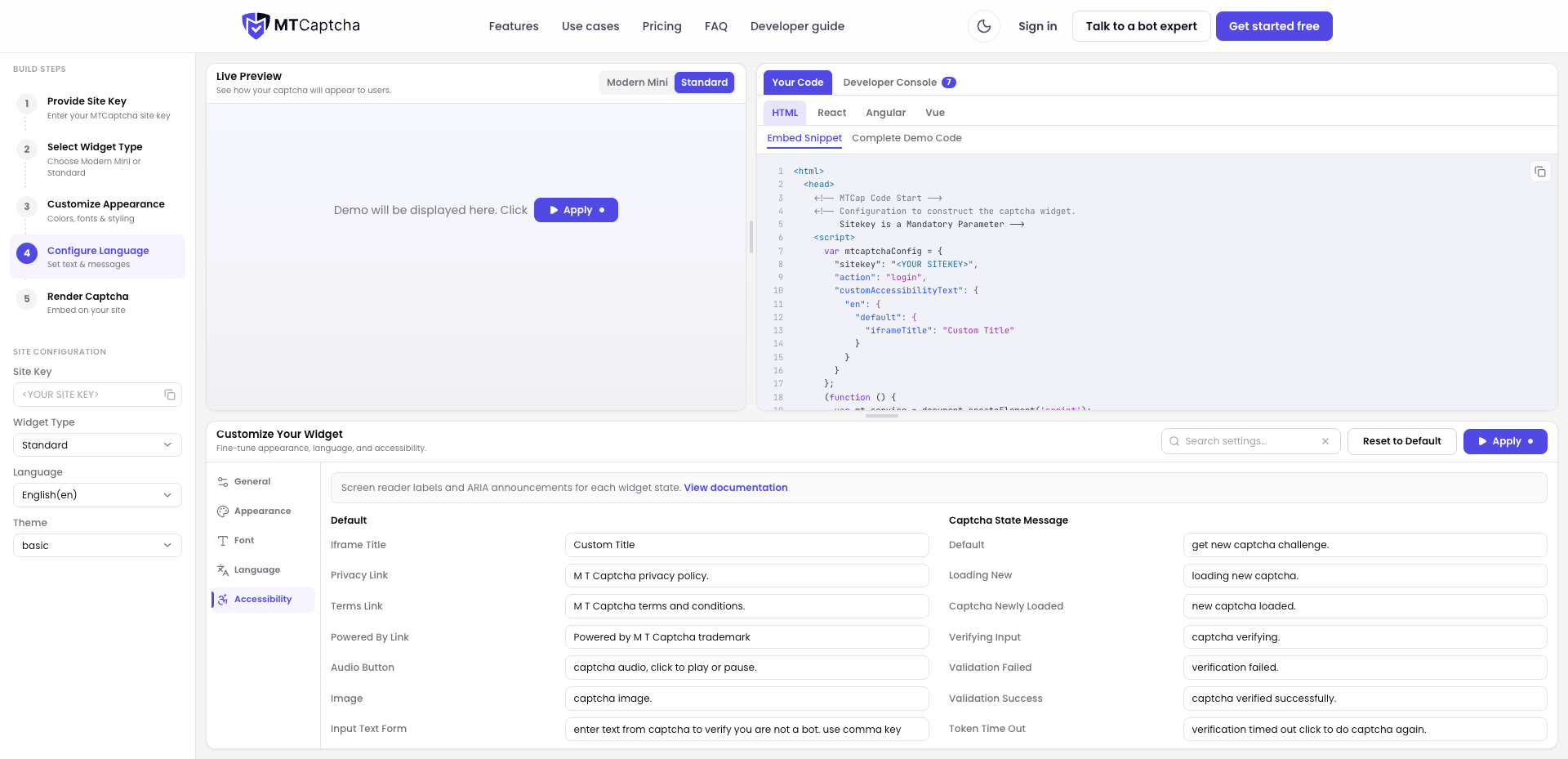
Customize Accessibility Text
MTCaptcha provides granular control over accessibility and screen reader labels. This allows you to override default aria labels, instructions, and status updates to ensure compliance with accessibility standards (such as WCAG 2.1 AAA) and to match custom application workflows.
Configuration
Accessibility text is defined inside the customAccessibilityText object within mtcaptchaConfig. Labels can be set per language key (e.g., en) under default or state-specific configurations.
Sample Configuration
<script>
const mtcaptchaConfig = {
  "sitekey": "<YOUR_SITE_KEY>",
  "customAccessibilityText": {
    "en": {
      "default": {
        "iframeTitle": "Custom Security Verification Frame"
      }
    }
  }
};
</script>
Key Configurable Labels
- Container Labels:
iframeTitle,privacyLink,termsLink,poweredByLink - Interactive Element Labels:
audioButton,image,inputTextForm - State Announcement Messages:
loadingNew,newlyLoaded,verifyingInput,validationFailed,validationSuccess,tokenTimeOut
Looking for More Configurations?
Use the interactive MTCaptcha Code Generator to customize and preview all available UI elements, screen reader labels, state messages, and localized configurations in real time.